
01
Inbound Receiving
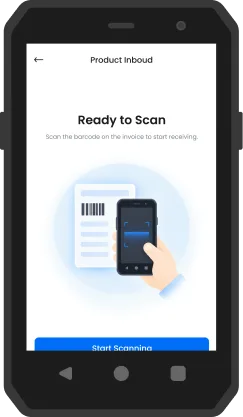
- WHEN
- Goods arrive and need to be checked into the warehouse.
- THE INTERFACE NEEDS TO
- Scan products, verify quantities and handle exceptions with minimal input.
- SO THAT
- Keep receiving tasks clear, consistent and easy to complete.
 +86 15058070136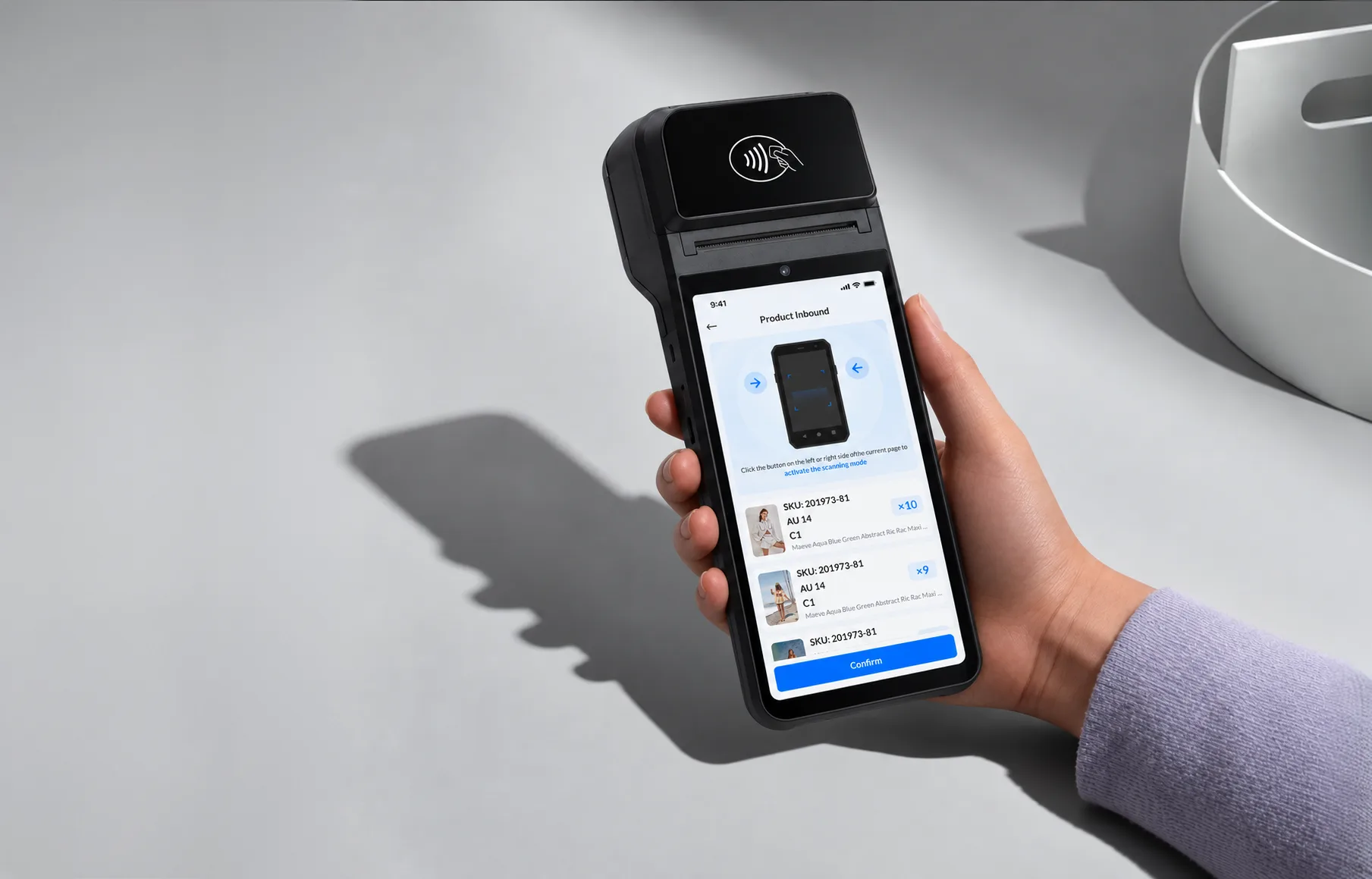
Warehouse
Management System
Turning complex warehouse operations into clear, scan-first workflows.
01 / Project overview
Working from established business flows and low-fidelity wireframes, I developed a consistent visual system and high-fidelity interfaces for handheld PDA workflows — from receiving and inspection to inventory, fulfilment and returns.
MY ROLE
02 / Operational context
Warehouse work depends on quick, repeatable actions. I focused on the moments where clear structure, practical controls and timely feedback can support the task at hand.
03 / Visual system
A clear sans-serif hierarchy keeps dense operational screens readable. Consistent sizes and weights separate task titles, product details and supporting information.
Poppins
abcdefghijklmnopqrstuvwxyz
ABCDEFGHIJKLMNOPQRSTUVWXYZ



03 / Visual system
Blue identifies primary actions. Neutral surfaces keep product information readable, while semantic accents distinguish progress, exceptions and completed tasks.
Used selectively to communicate status and direct attention where it matters.

Orange #F97103
Warning / Pending / Attention

Red #ED462C
Error / Risk / Critical exception

Green #00C097
Success / Verified / Completed

Purple #873FFE
Secondary features / Special workflow states




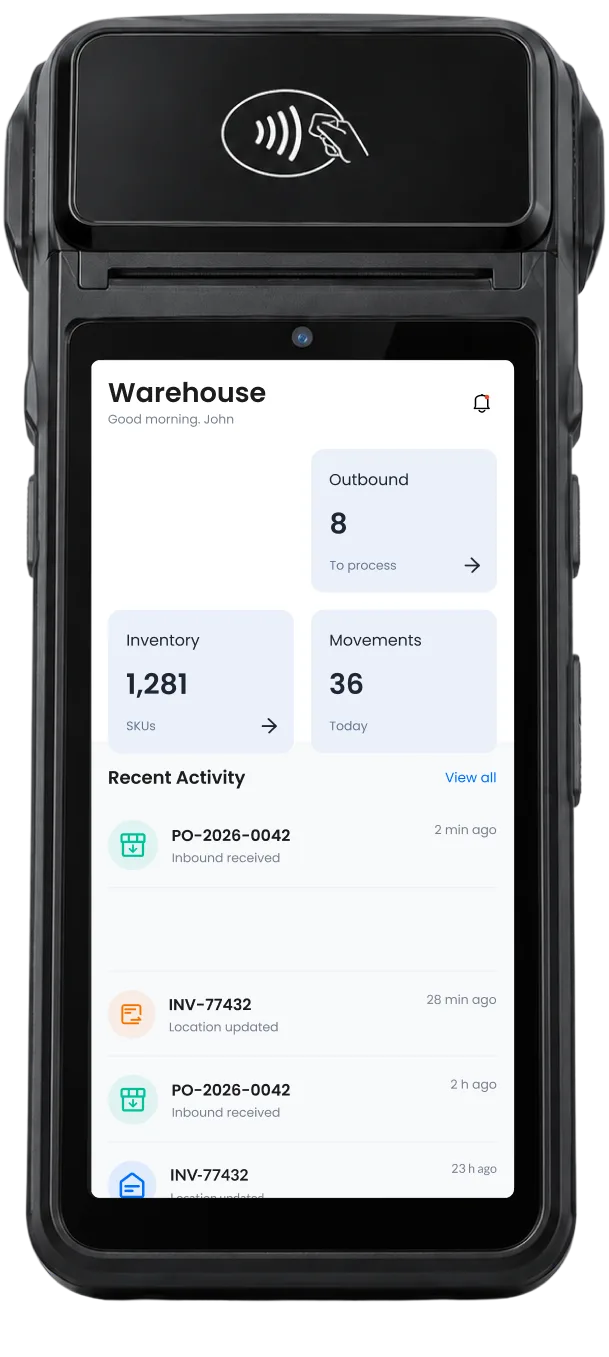
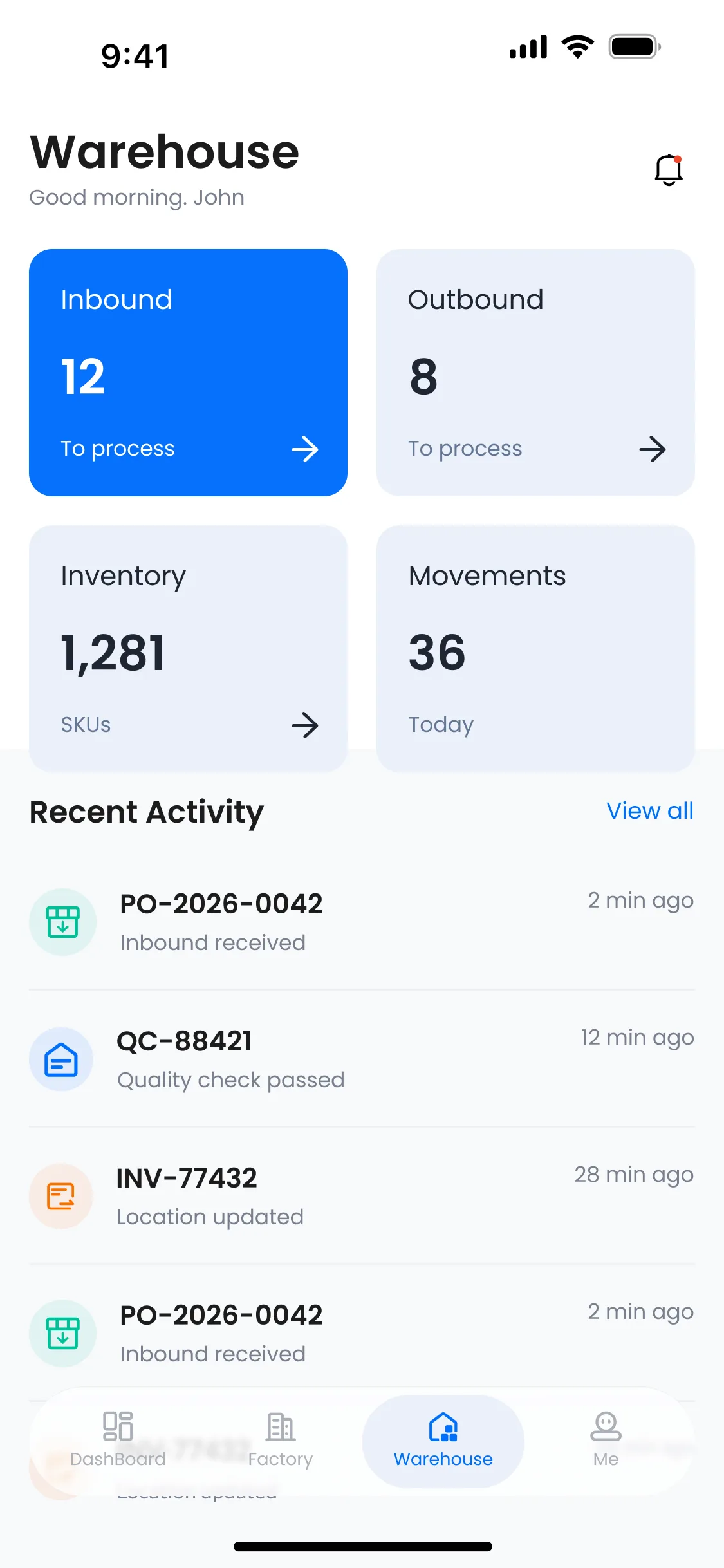






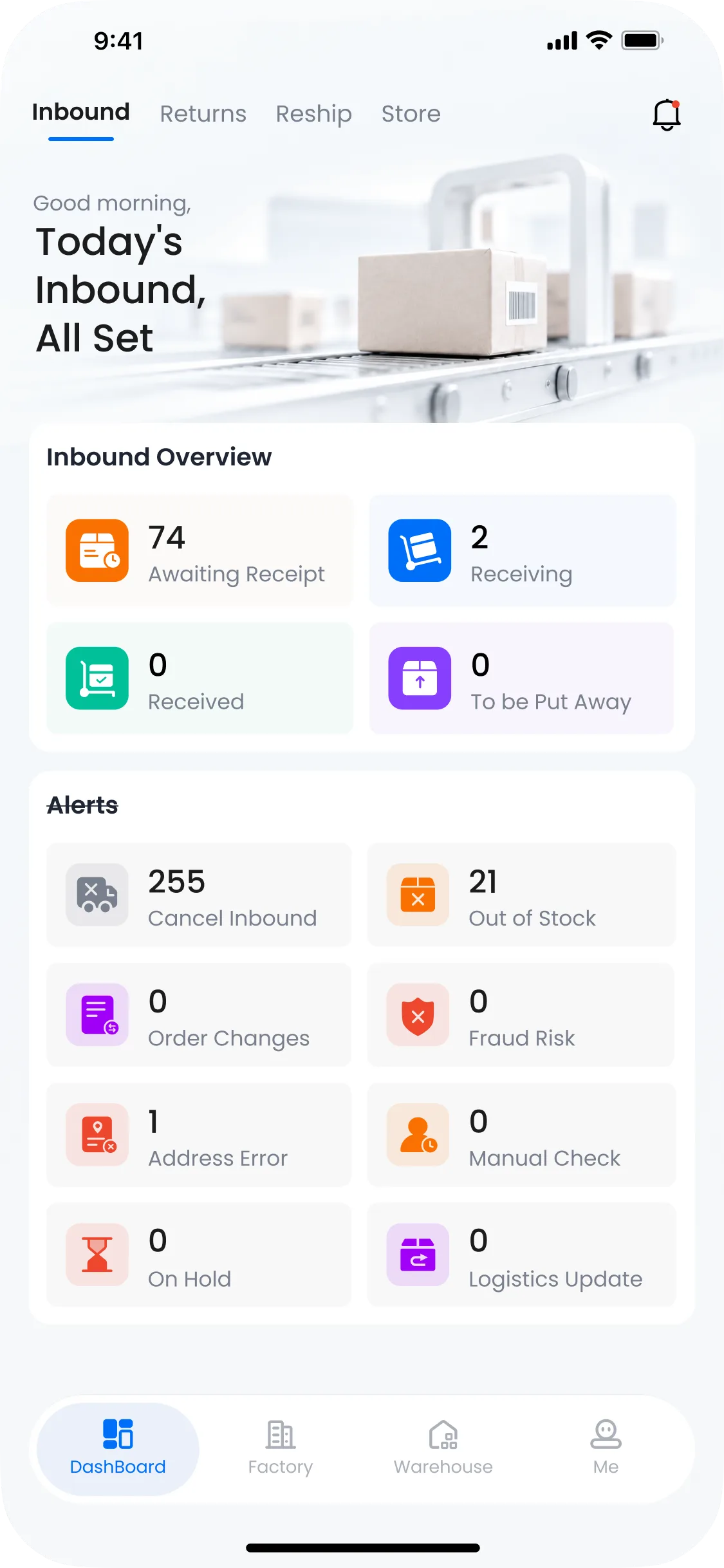
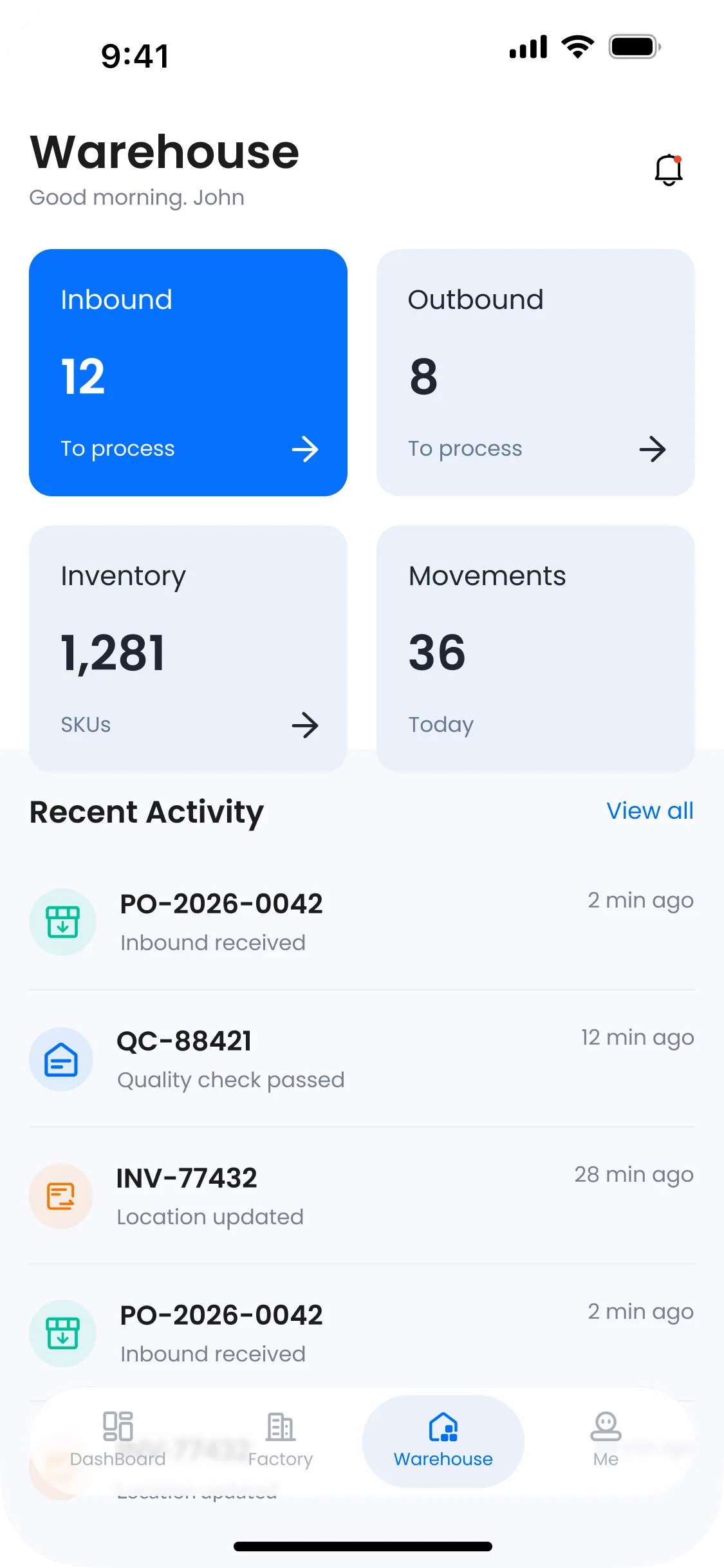
Inbound, outbound, inventory and stock movements share one workspace. Task counts make the workload visible, recent activity provides context, and clear entry points lead directly into each workflow.
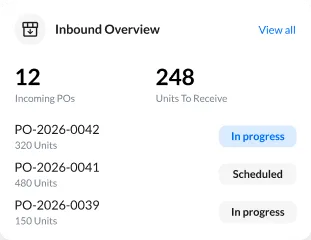
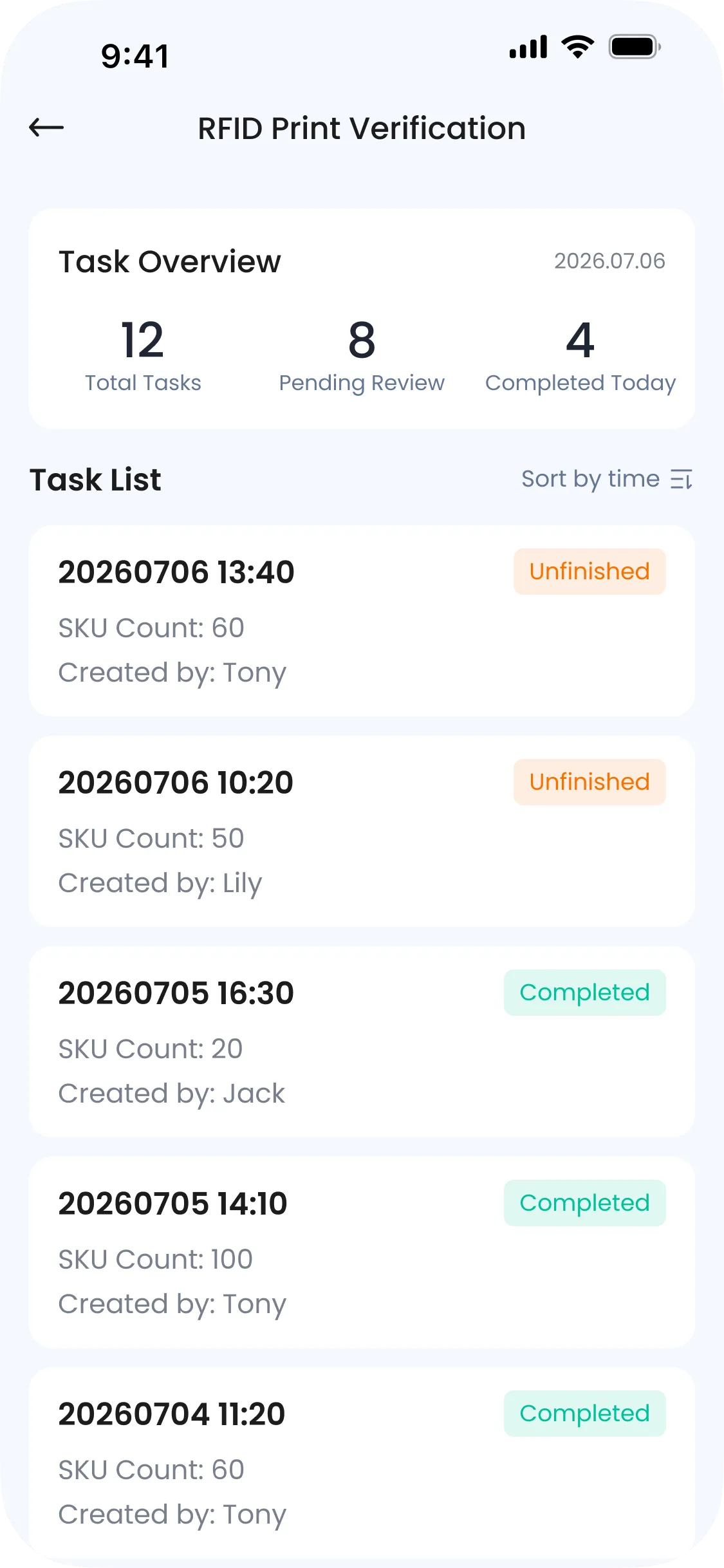
Task summaries, status colours and modular cards bring the receiving workload into focus. A clear overview separates incoming, active and completed tasks, with alerts highlighting exceptions that need attention.
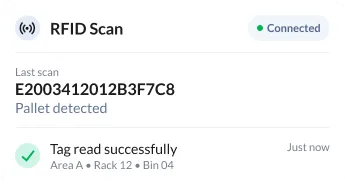
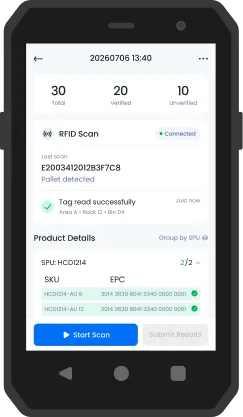
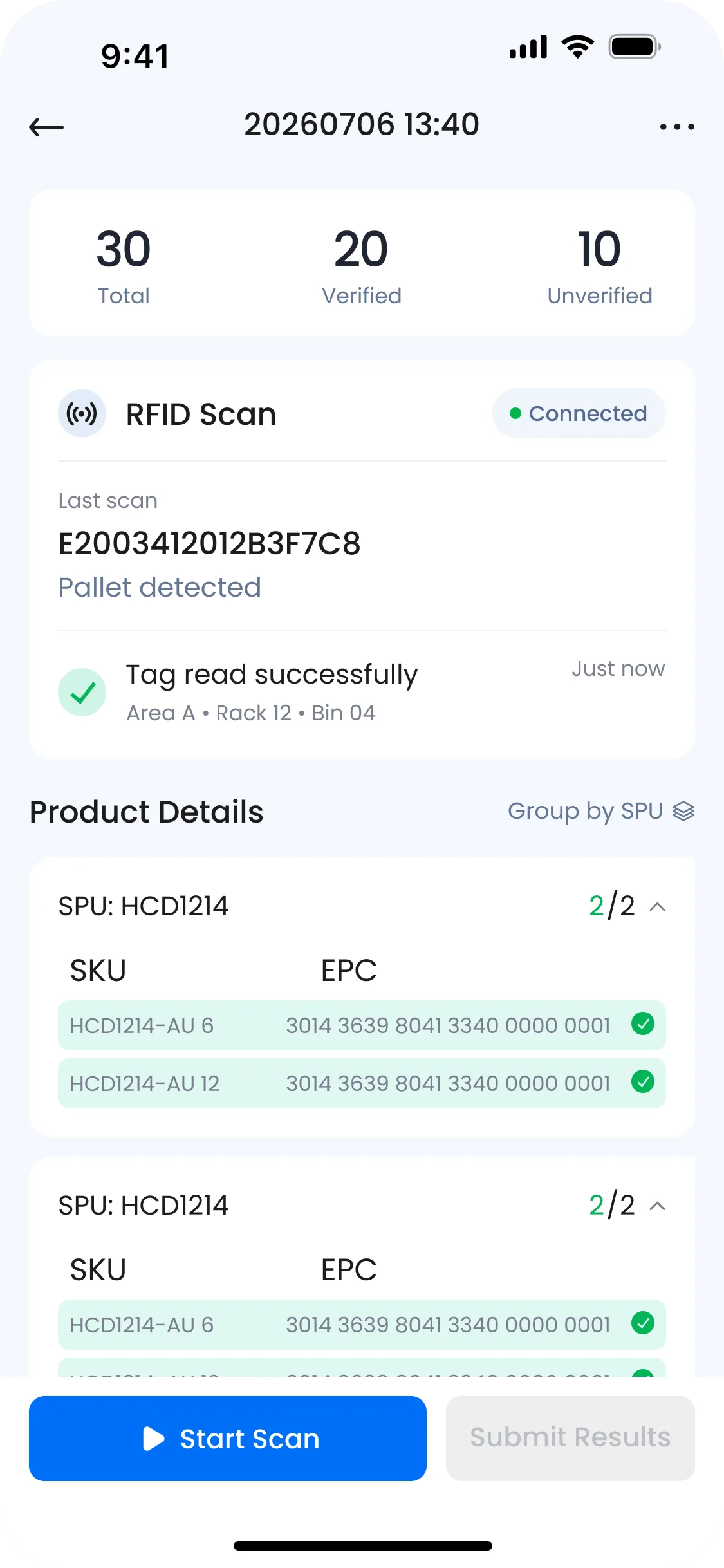
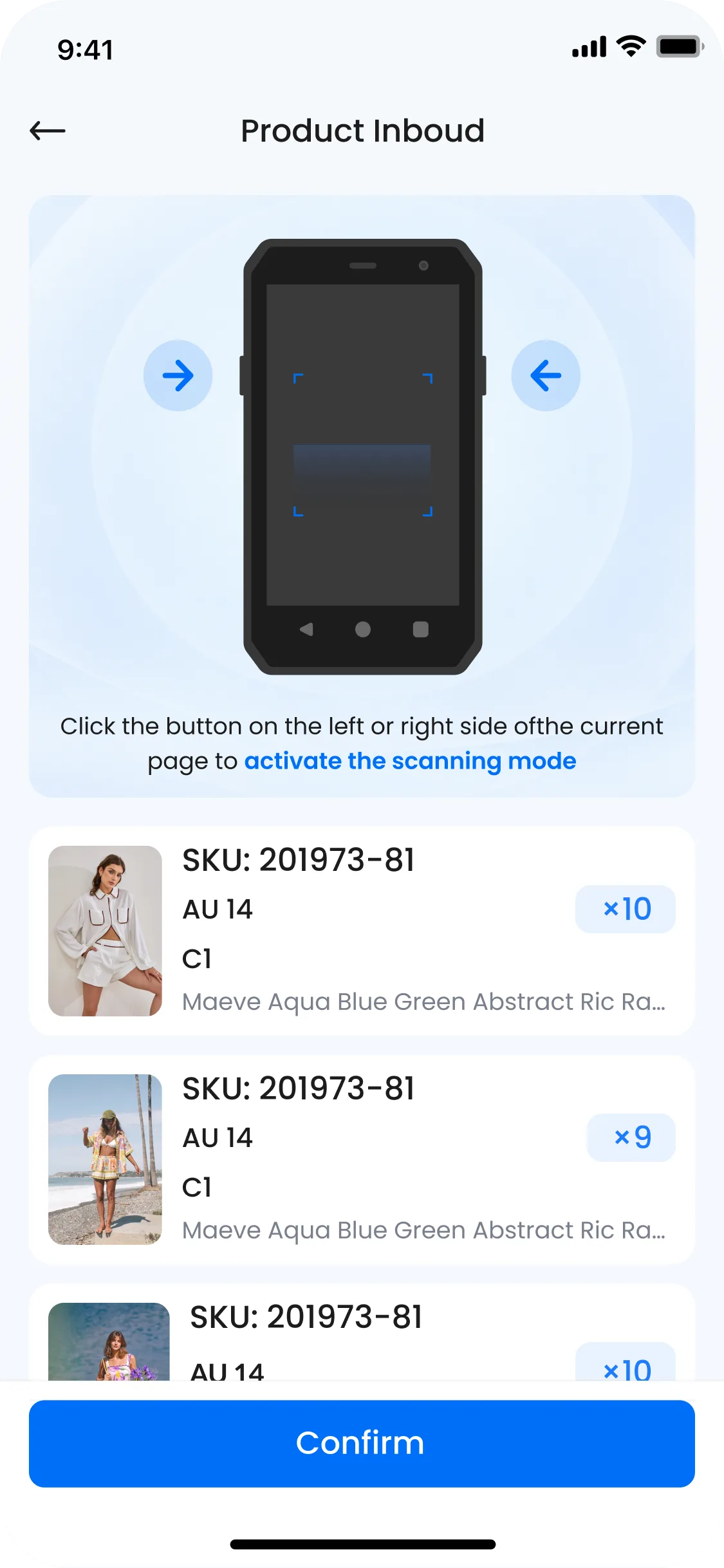
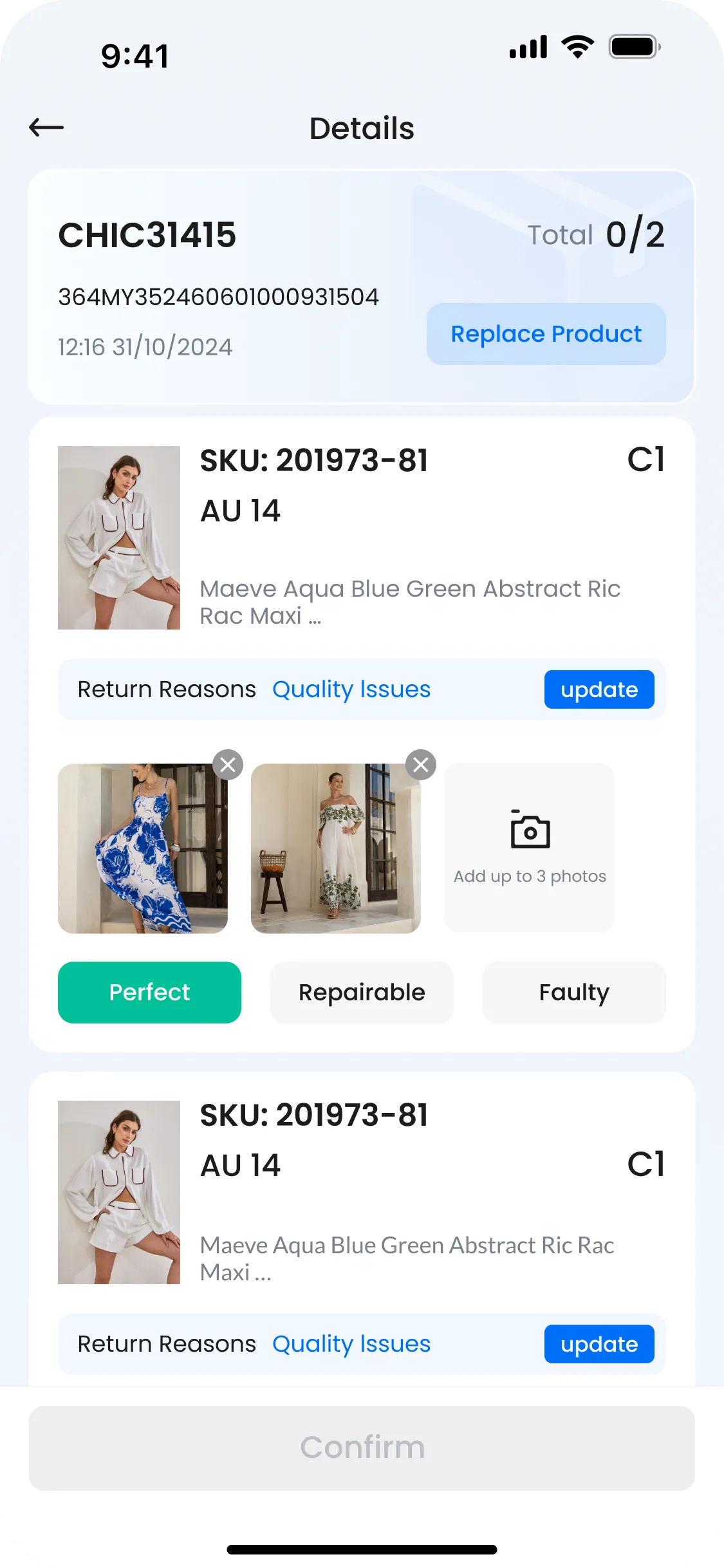
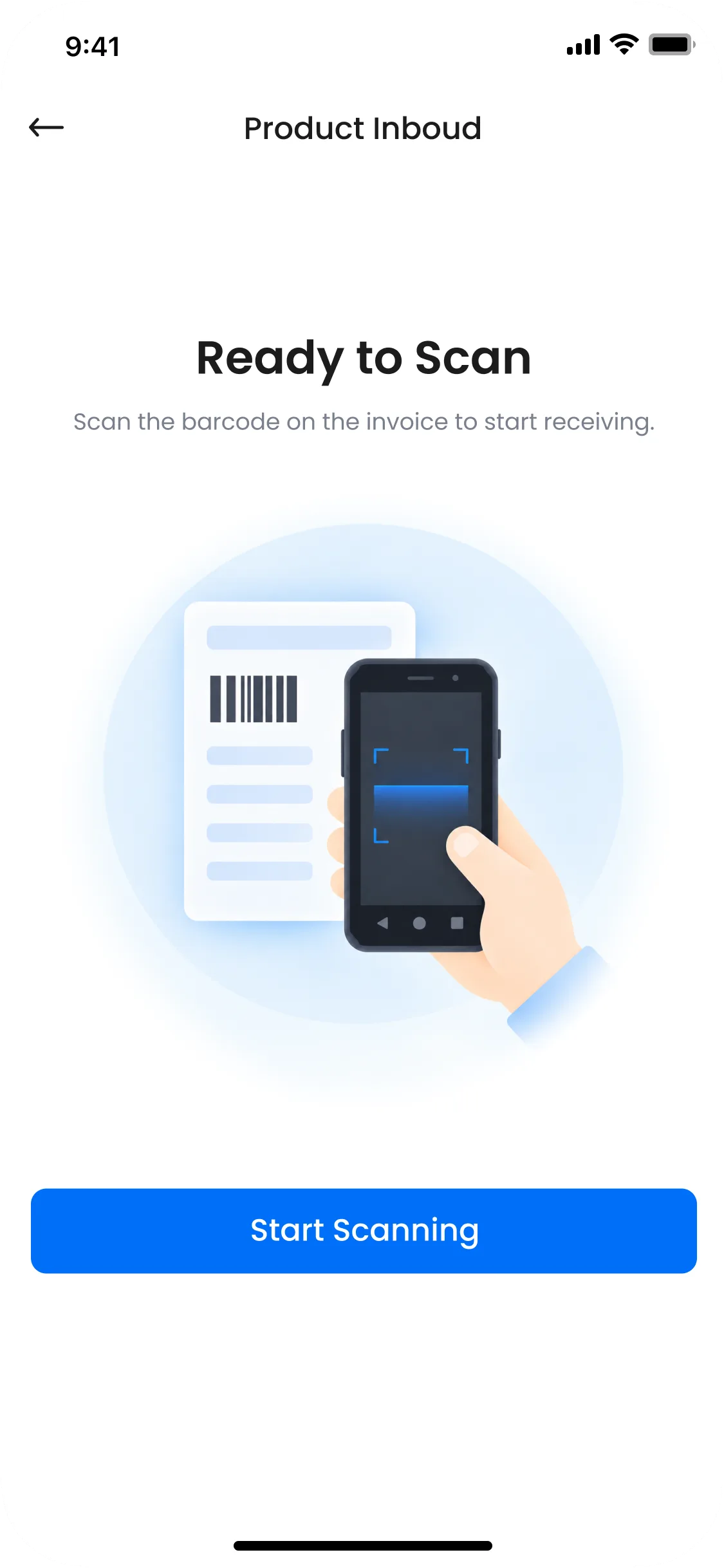
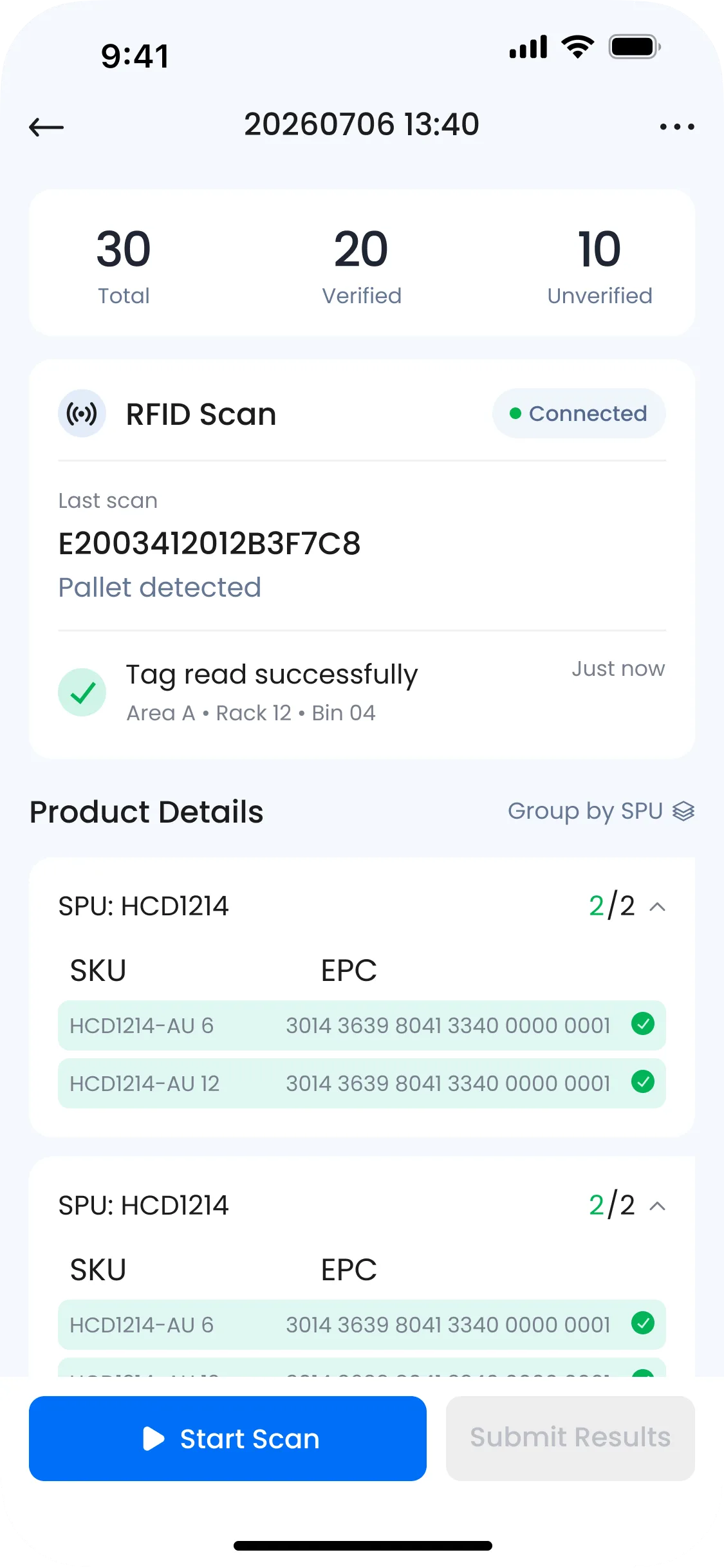
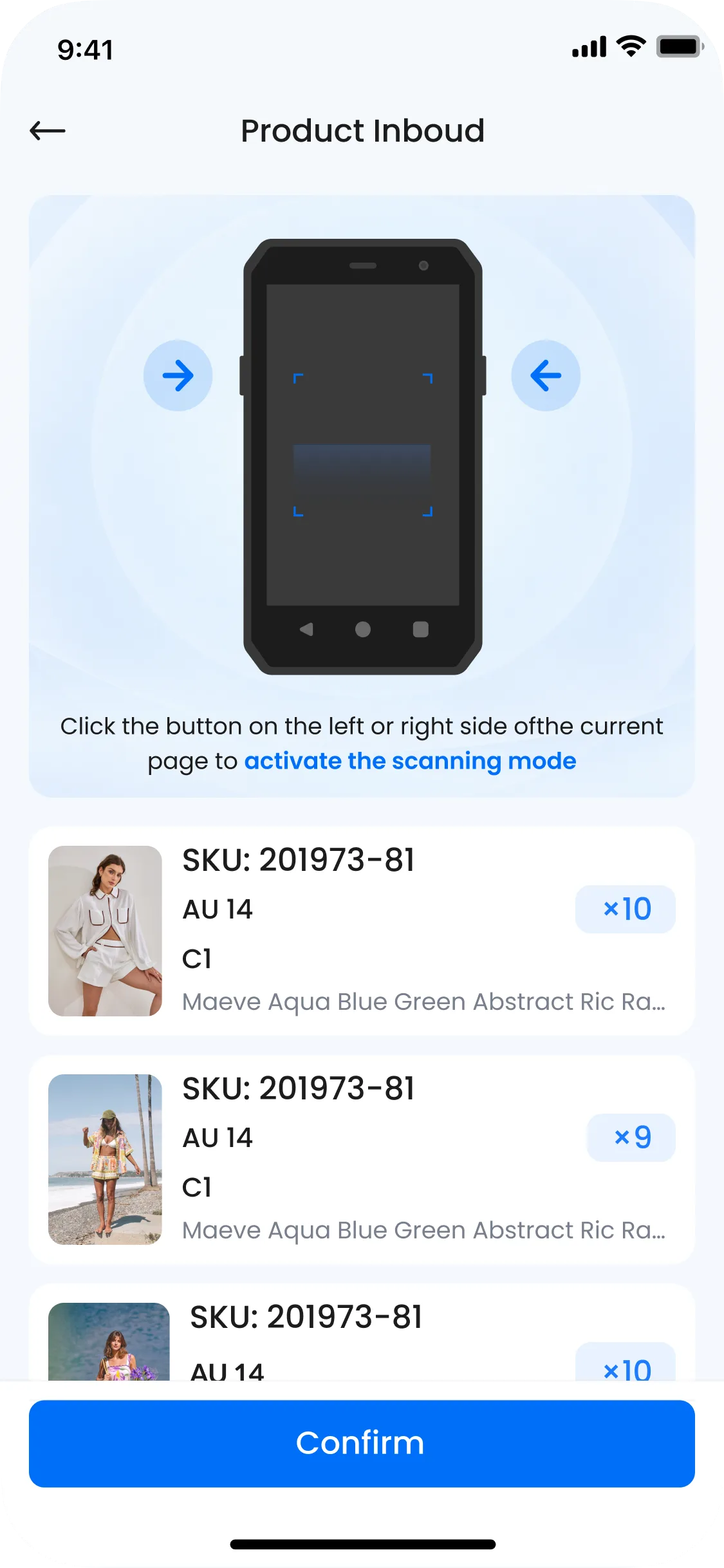
Scan counts, grouped product details and EPC matching make verification progress visible. Distinct states separate matched items from exceptions that still need attention.
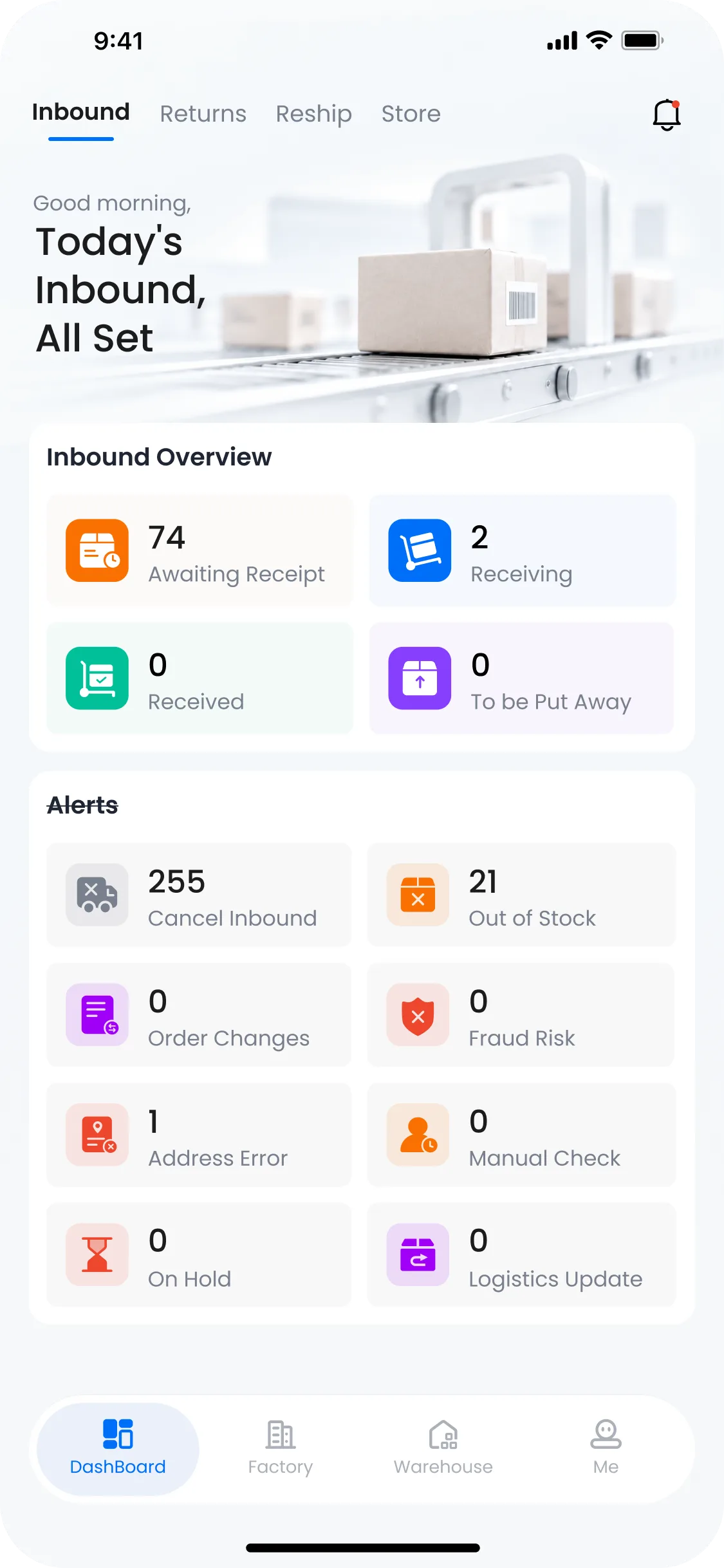
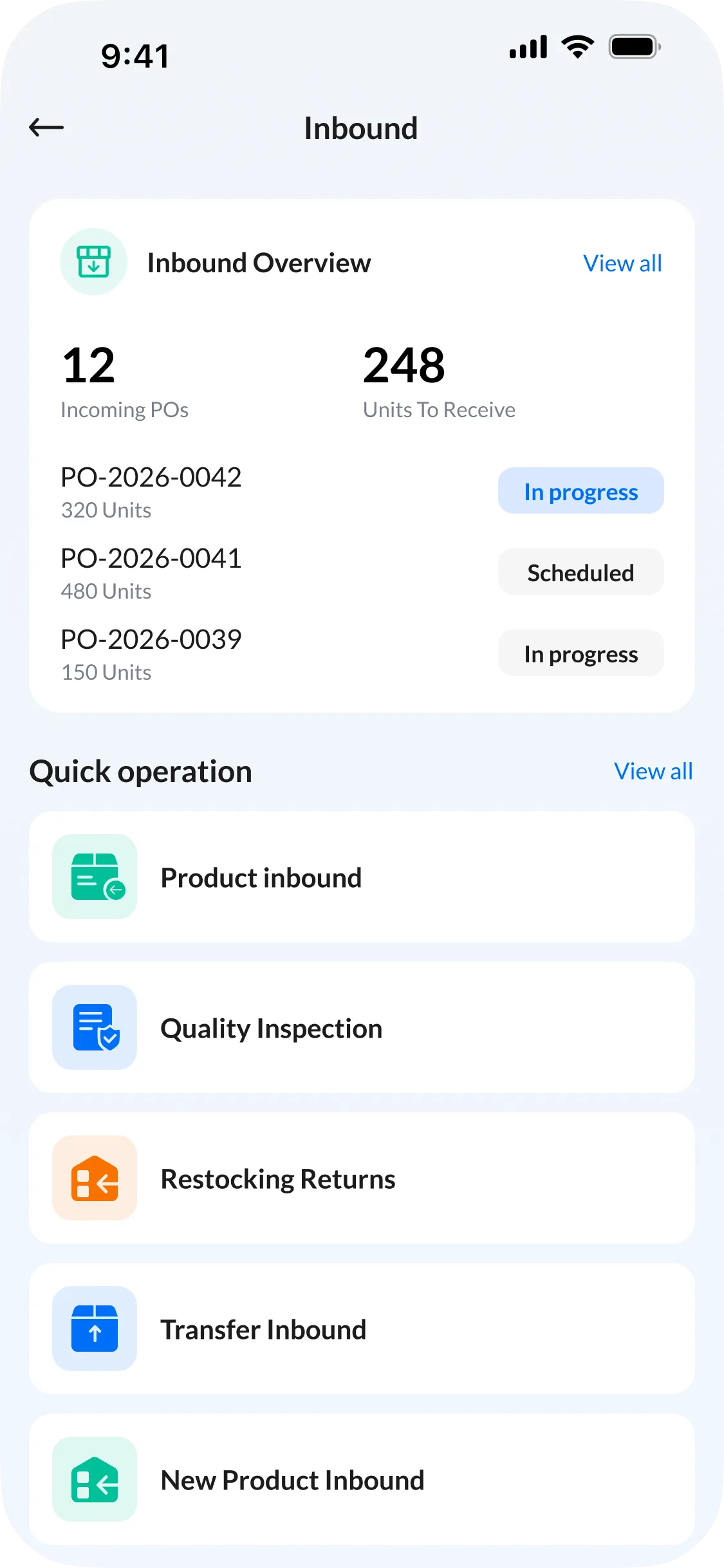
Incoming orders, units to receive and task status sit together in one overview.
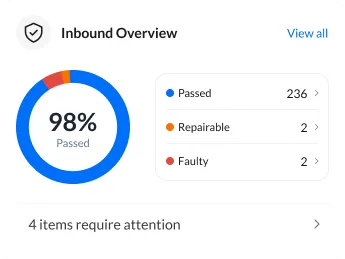
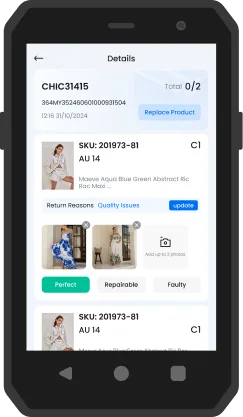
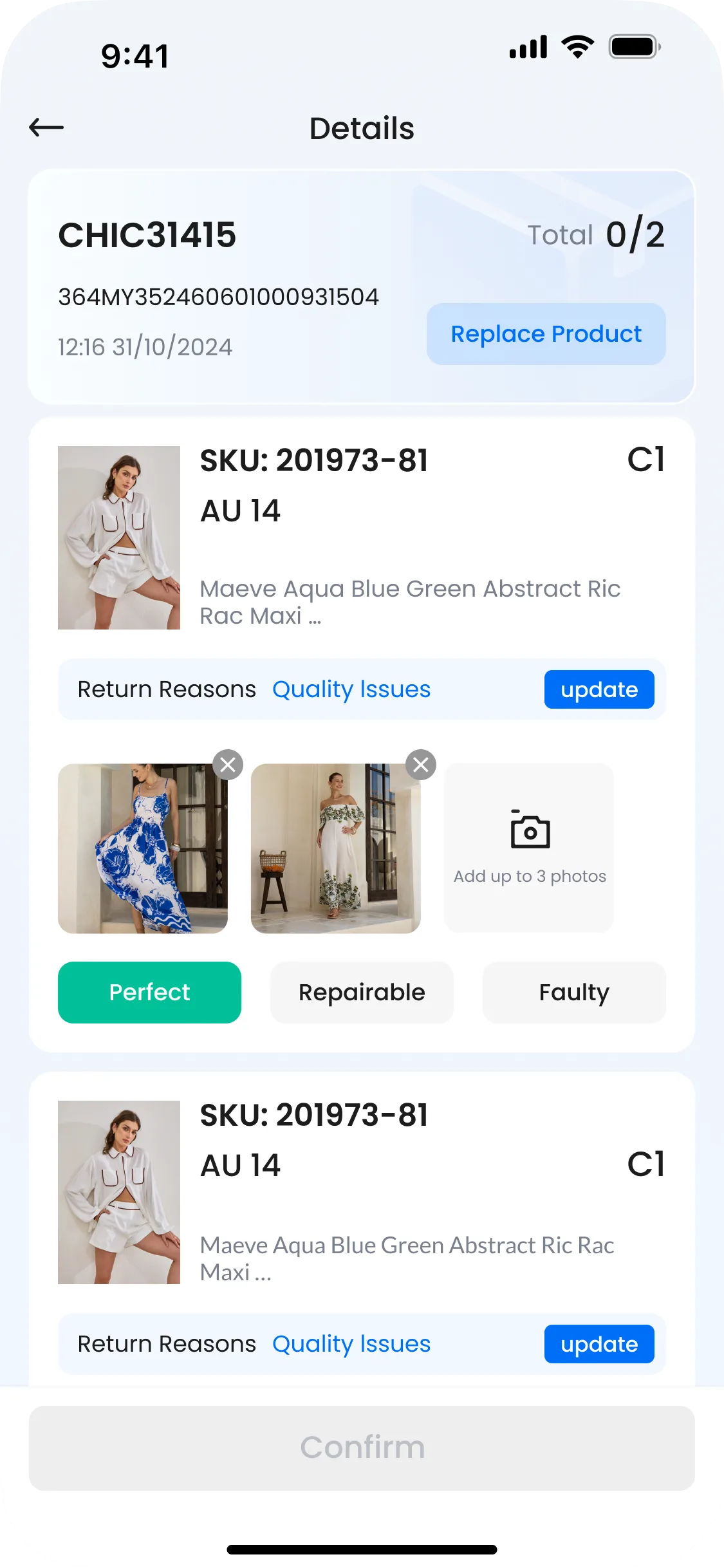
Direct access to product receiving and quality inspection keeps the next step close at hand.
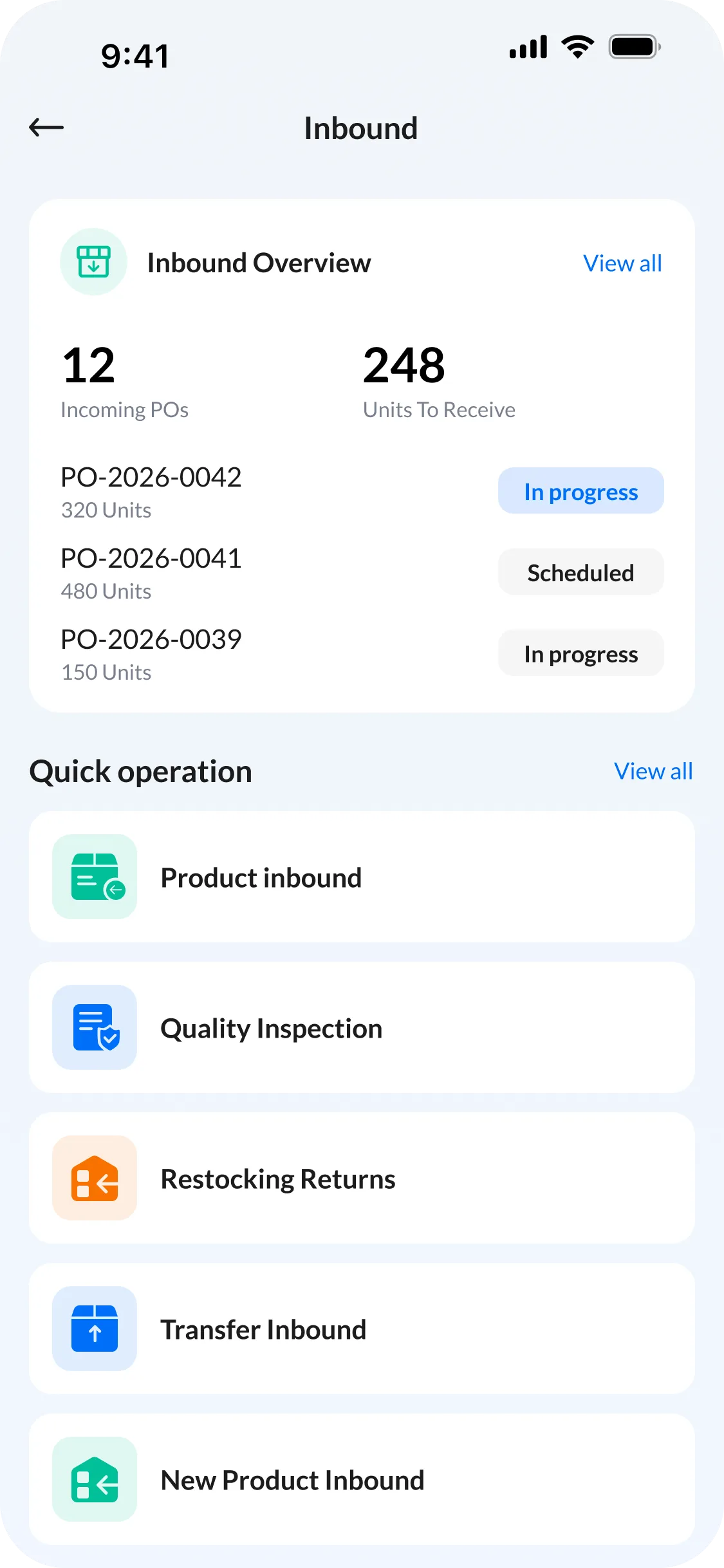
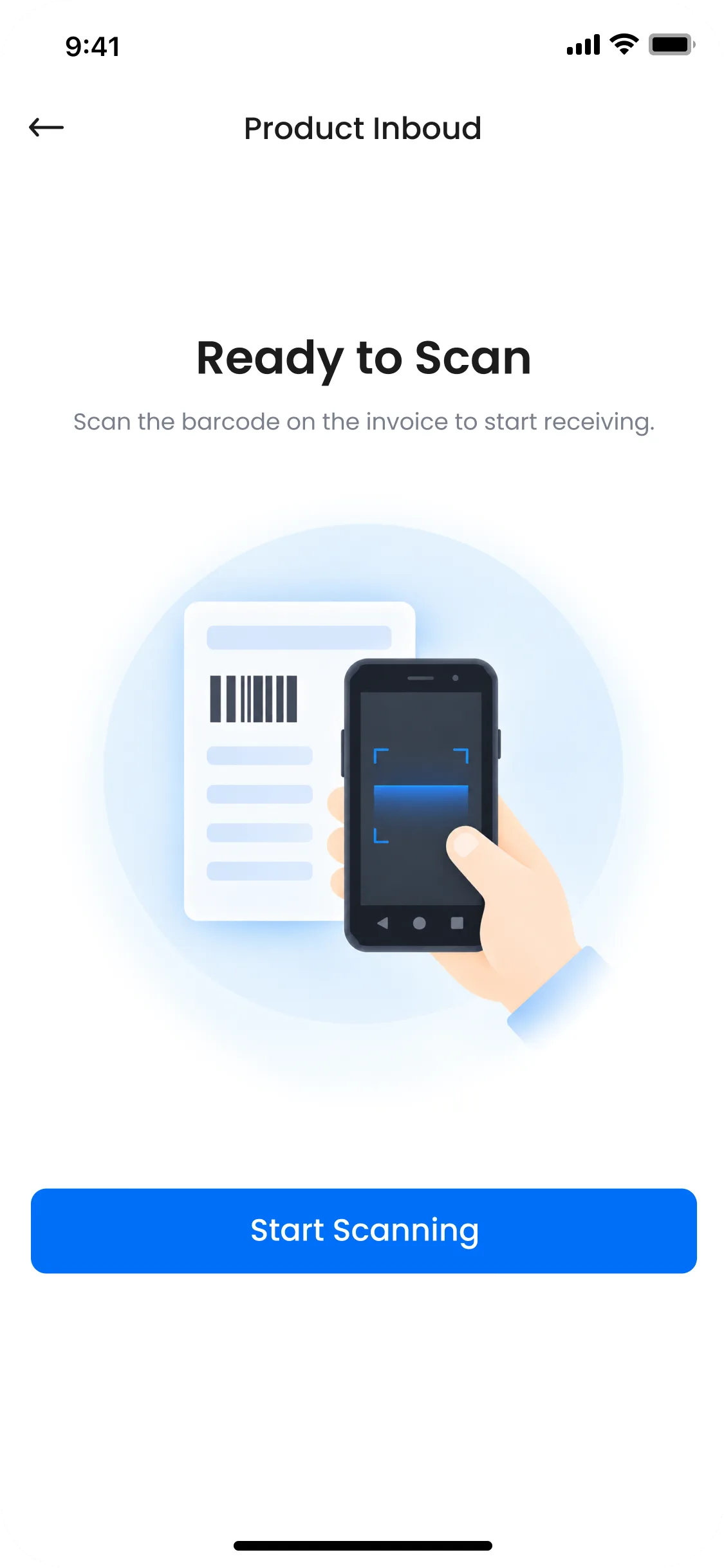
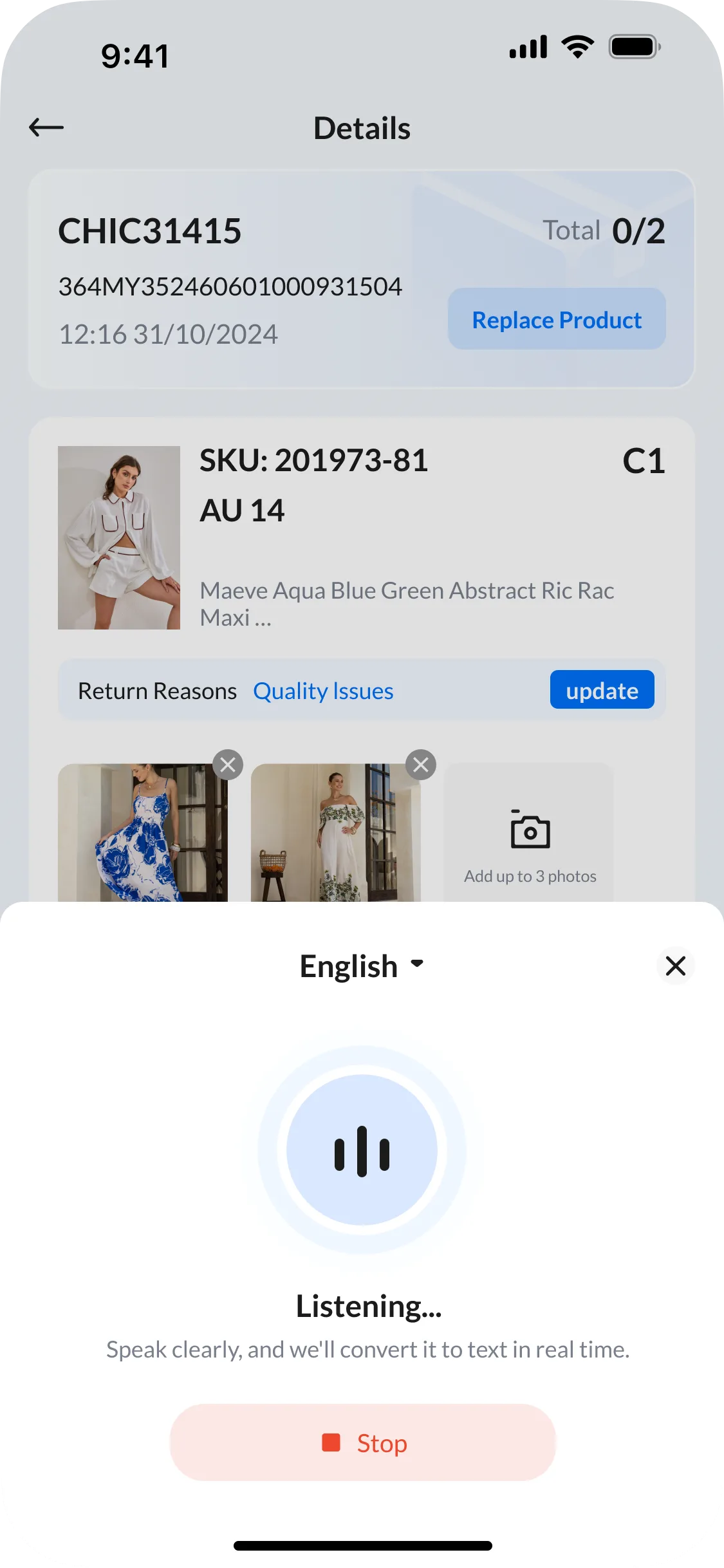
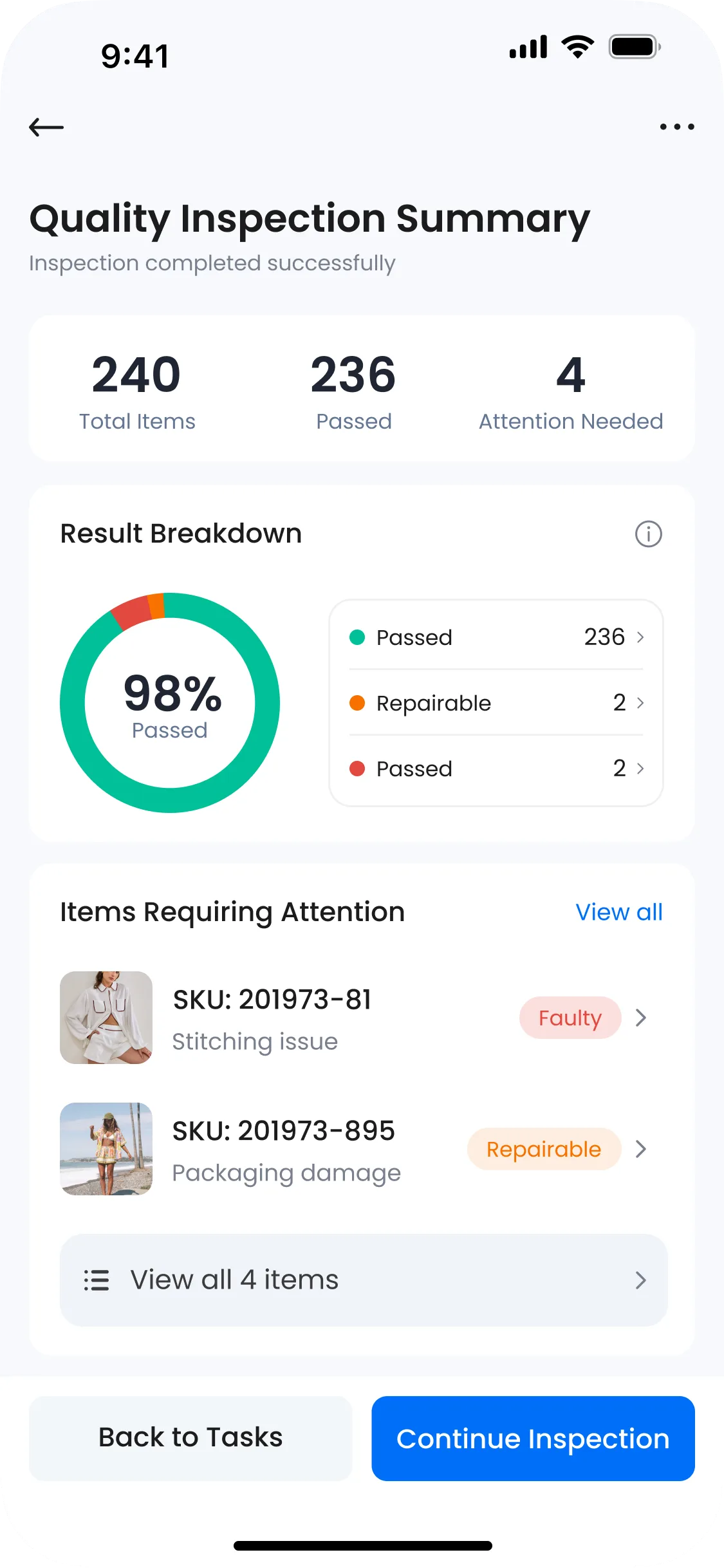
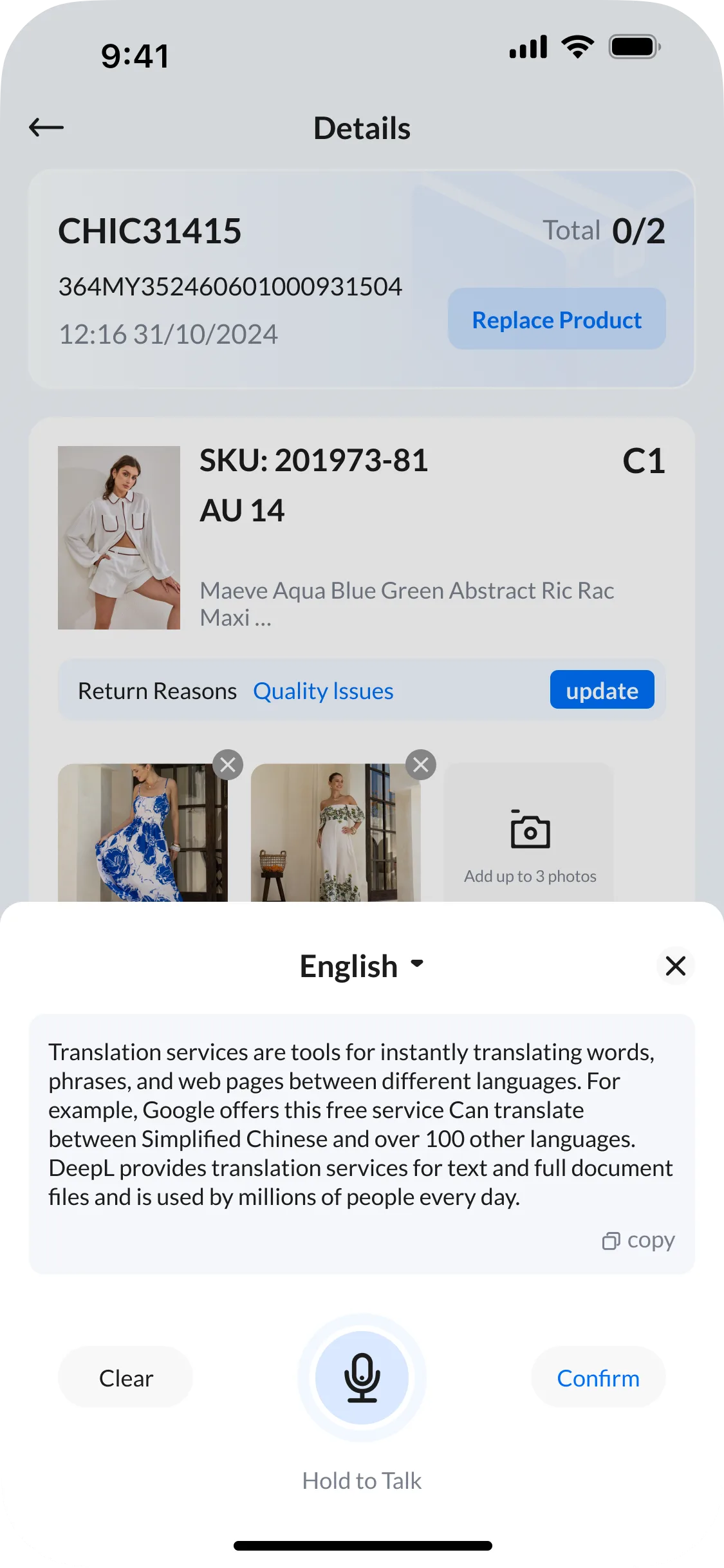
Consistent information, action patterns and state feedback connect scanning, product receiving and inspection into one continuous workflow.
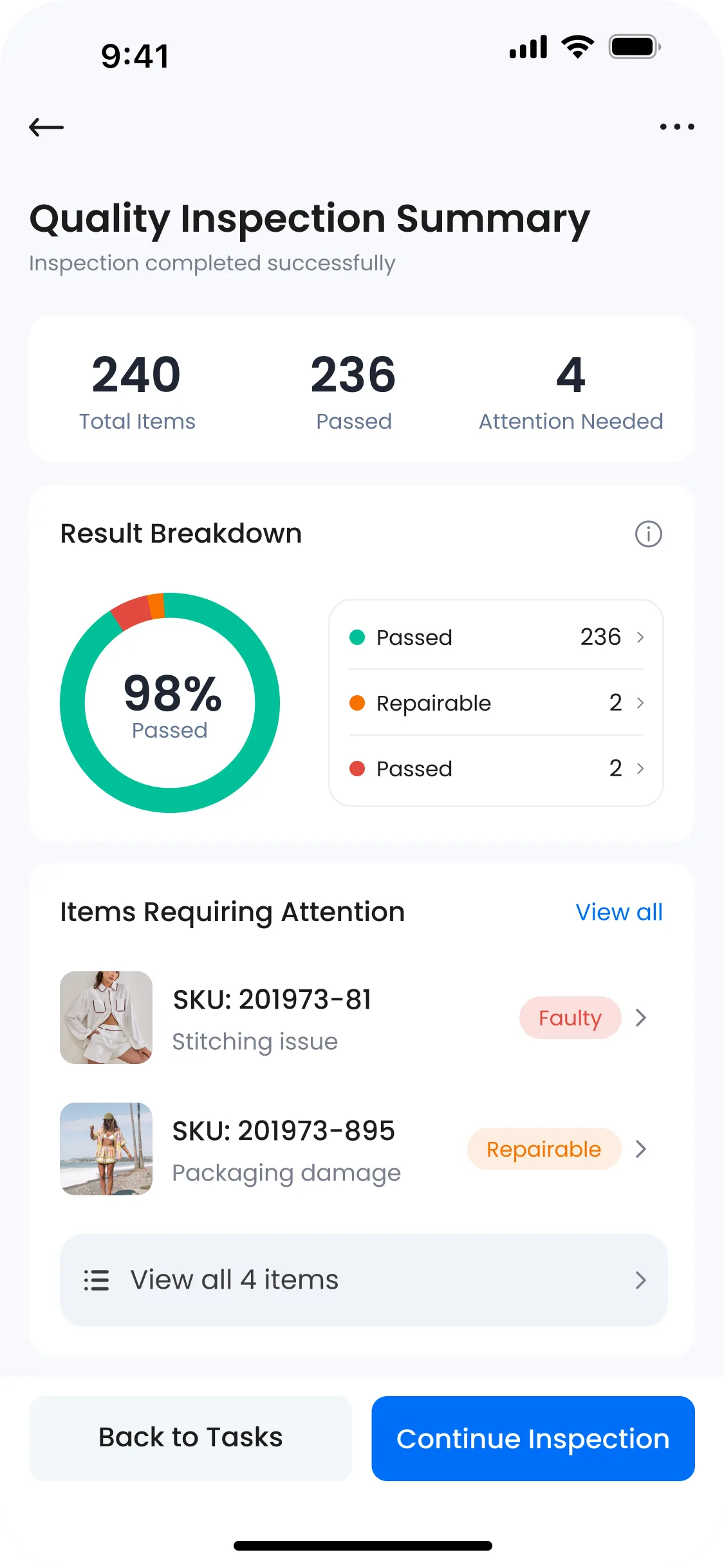
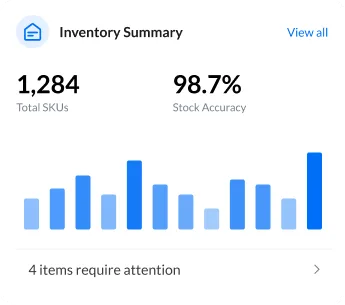
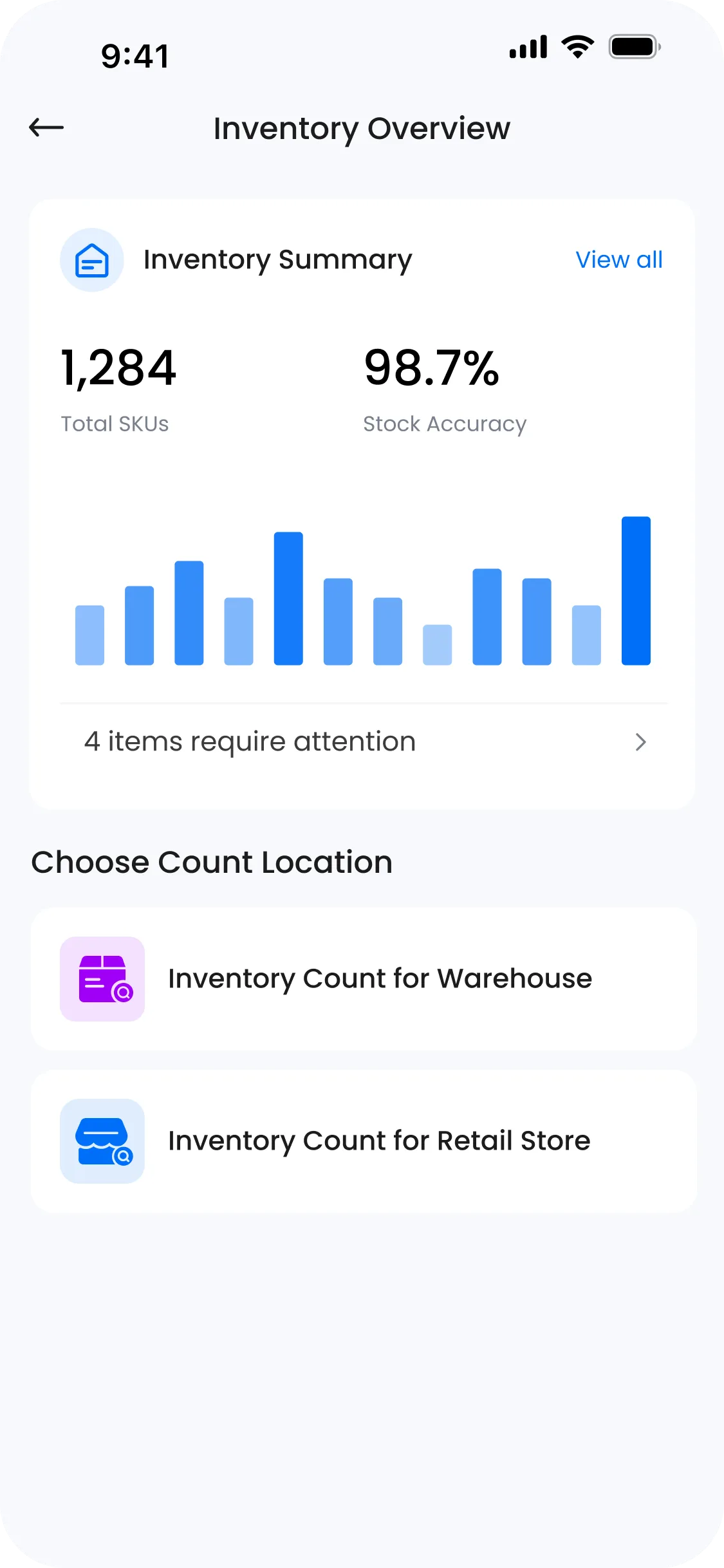
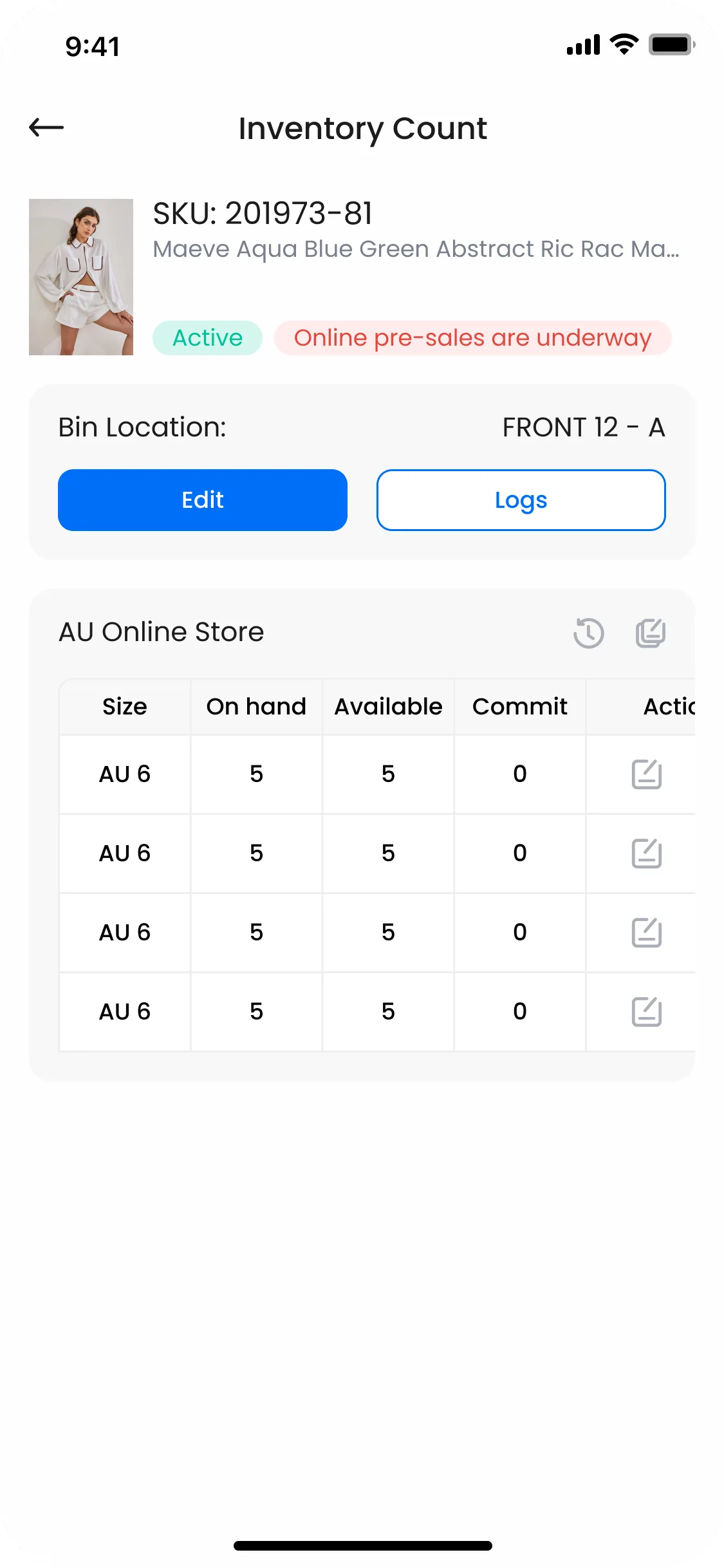
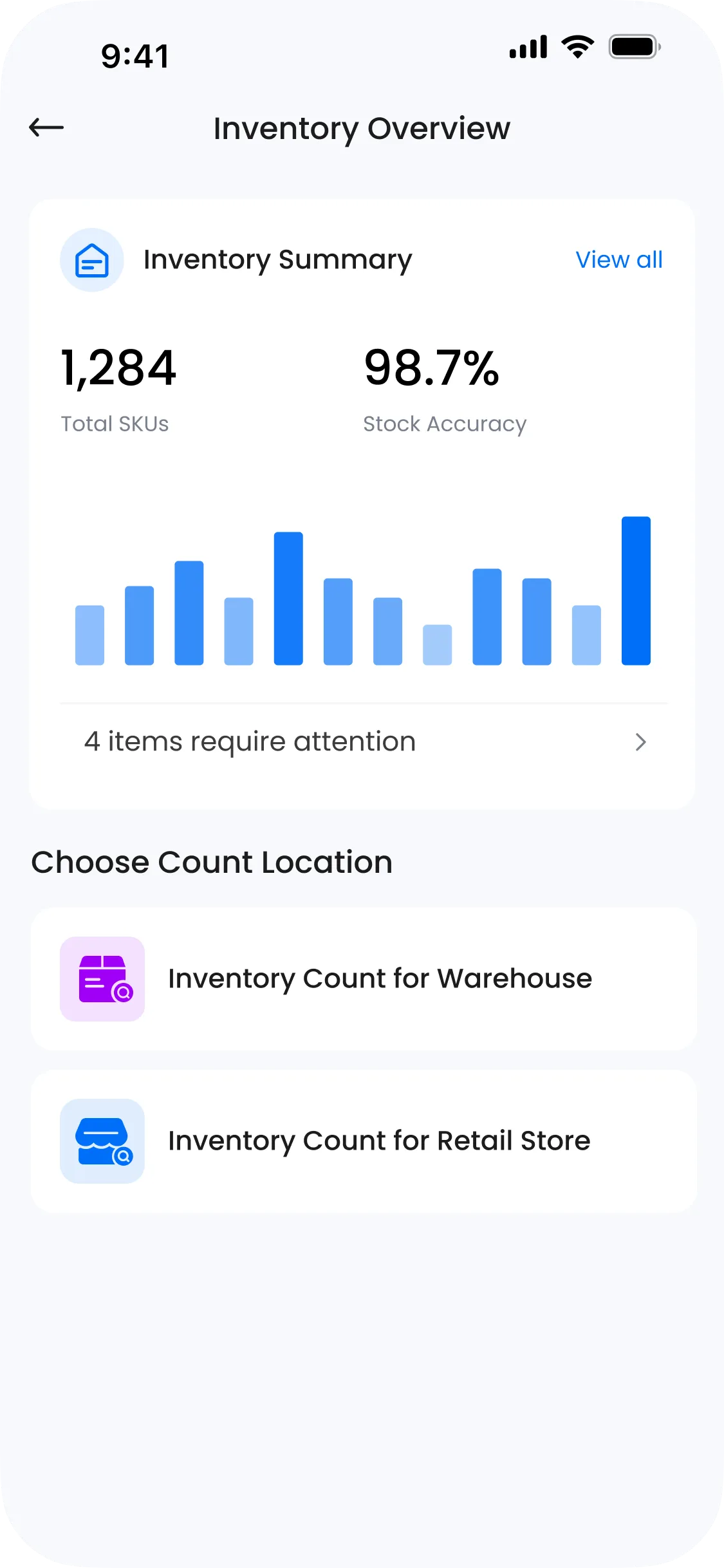
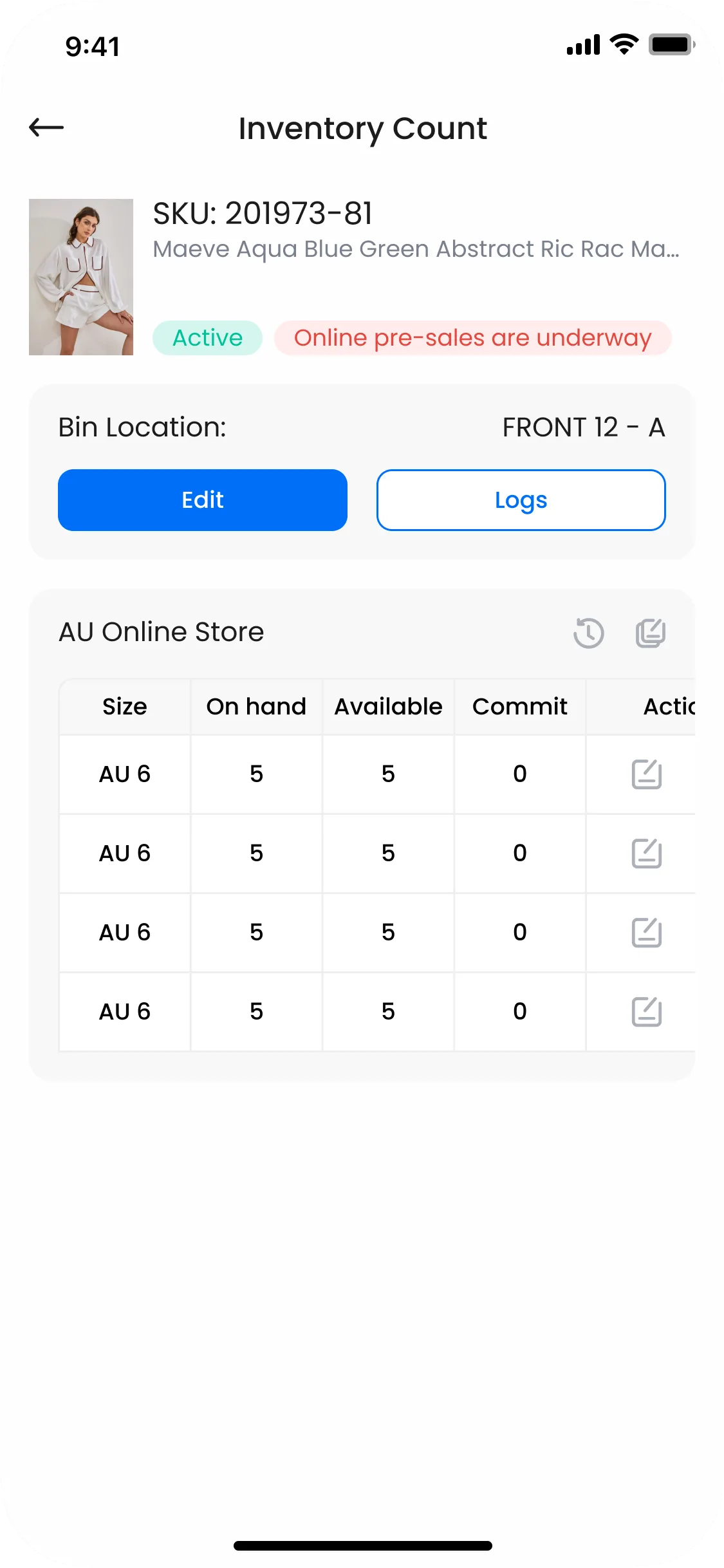
Stock summaries, accuracy indicators and location-based counting connect the inventory overview with item-level checks. Clear statuses keep counted quantities and differences easy to follow.
A consistent interface system for the everyday work of receiving, verifying, counting and moving stock.
ONE LAST THING.